Node Movement Part 3

It's important that you understand the previous two types of node movement before diving into this one. This one builds upon the previous type of movement. In the previous movement we had Pacman move around from node to node smoothly. However, he always stops on each node. We also can't change his direction when he is traveling between two nodes. In this section we'll change his movement so that he'll only stop on a node if he can't continue on to another node in the direction he is moving, otherwise he'll move past the node. We'll also change it so that he can reverse direction at any time. Once we're done with this section we'll have the completed movement for Pacman. What's really nice is that no matter what maze layout we use, this code will always stay the same.


Reversing Direction

Reversing Pacman's direction when he's moving between nodes is actually pretty simple. We'll just modify the updateDirection method by adding an else statement below the if statement where we check to see if Pacman is stopped or not. If he is moving, then that means he must be between nodes and we jump to the else block. Here we'll check to see if the player is trying to move in the opposite direction. Remember that self.direction is Pacman's current moving direction and direction is the direction the player is trying to move in. If we detect that the player is trying to reverse direction, then we find the node he's trying to move towards by calling the current node's getNeighborByDirection method. Then finally set Pacman's direction to the reversed direction.

pacman.py

                          
def updateDirection(self, direction):
    if self.checkValidDirection(direction):
        if self.direction == pygame.Vector2():
            self.direction = direction
            self.node = self.node.getNeighborByDirection(direction)
            self.updateValidDirections()
        else:  #reversing direction                
            if direction == -self.direction:
                self.node = self.node.getNeighborByDirection(direction)
                self.direction = direction


Passing through to the Next Node

The final piece is to not have Pacman stop on every node. If Pacman is moving towards a node and there's no user input to change direction, and if there's another node in the same direction that Pacman is moving, then we need to have Pacman continue on to the next node automatically. This is because Pacman really moves by himself, you just have to give him direction cues. If Pacman reaches a node and there is no other node in that same direction as that node's neighbor, then Pacman needs to stop on that node and wait further instruction from the user.

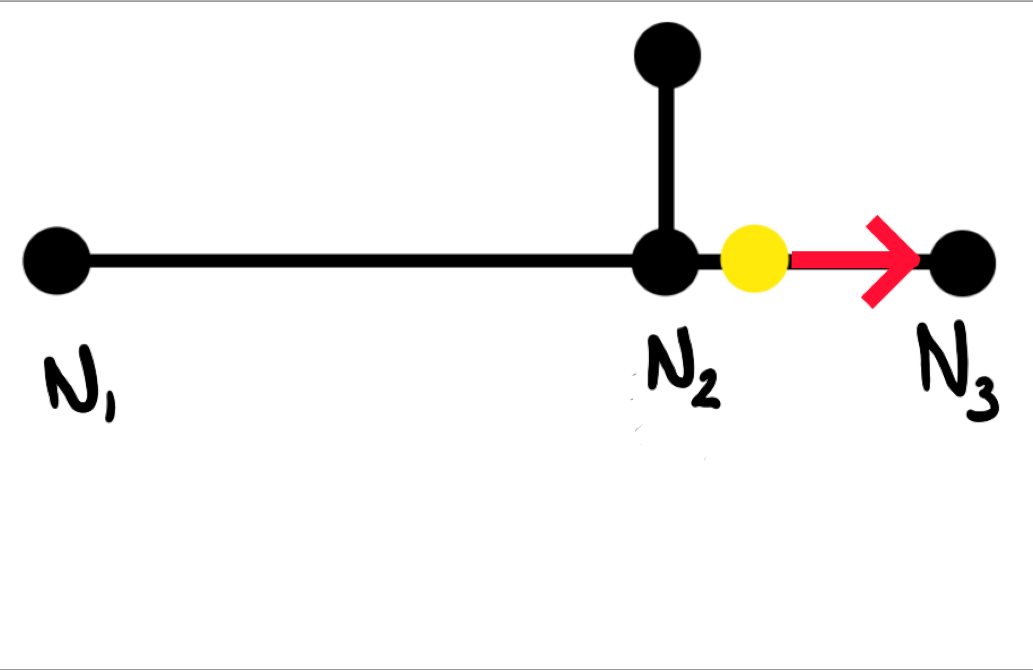
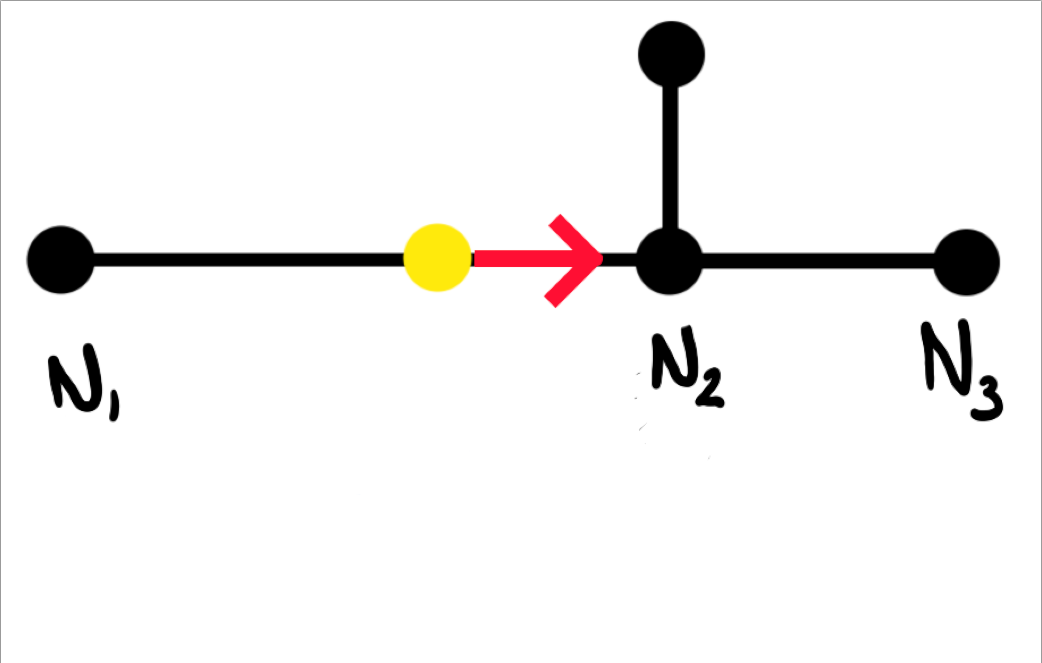
Below are a couple of images to show what I mean. In the first image you can see Pacman (yellow circle) moving towards node N2. However, node N2 has a neighbor node N3 that is in the same direction to the direction Pacman is currently moving. If the user doesn't press a valid direction by the time Pacman reaches node N2, then Pacman will just automatically continue onto the next node N3 as shown in the second picture.


Passing a Node

Before

After


Passing a Node Code

There are a couple of things that we need to do here. The first thing we're going to do is add a new method to our Pacman class. This method just checks to see if there is a node neighbor in the same direction as the direction Pacman is currently moving. If there is, we'll return True, and if not then we simply return False.

pacman.py

                          
def continueNextNode(self):
    nextnode = self.node.getNeighborByDirection(self.direction)
    if nextnode is not None: return True
    return False


Passing a Node Code

Next we'll add a new variable called self.direction_user in the init method of the Pacman class. This will just contain the direction the user is trying to go in.

pacman.py

                          
def __init__(self, node):
    self.setPosition(node)
    self.direction = pygame.Vector2()
    self.direction_user = pygame.Vector2()
    self.speed = 100 * TILEWIDTH/16
    self.radius = 10
    self.color = YELLOW


Passing a Node Code

In out updateDirection method we'll set the user's direction to this variable for later use.

pacman.py

                          
def updateDirection(self, direction):
    self.direction_user = direction
    ...


Passing a Node Code

The last thing we need to do is add more code to our overshot method. So when we overshoot a node we now need to check to see if we can continue on to the next node. If we can't then we stop on that node as before. If we can, however, we then need to check to see if the user is pressing a valid direction. If not then we can ignore it, otherwise we go in the direction the user is telling us to go in.

pacman.py

                          
def overshot(self):
    '''Check if overshot node'''
    vec = self.node.position - self.position
    if self.direction.dot(vec) < 0:  
        if self.continueNextNode():
            if self.node.getNeighborByDirection(self.direction_user) is None:
                self.node = self.node.getNeighborByDirection(self.direction)
            else:
                self.setPosition(self.node)
        else:
            self.setPosition(self.node)


Run and Finish

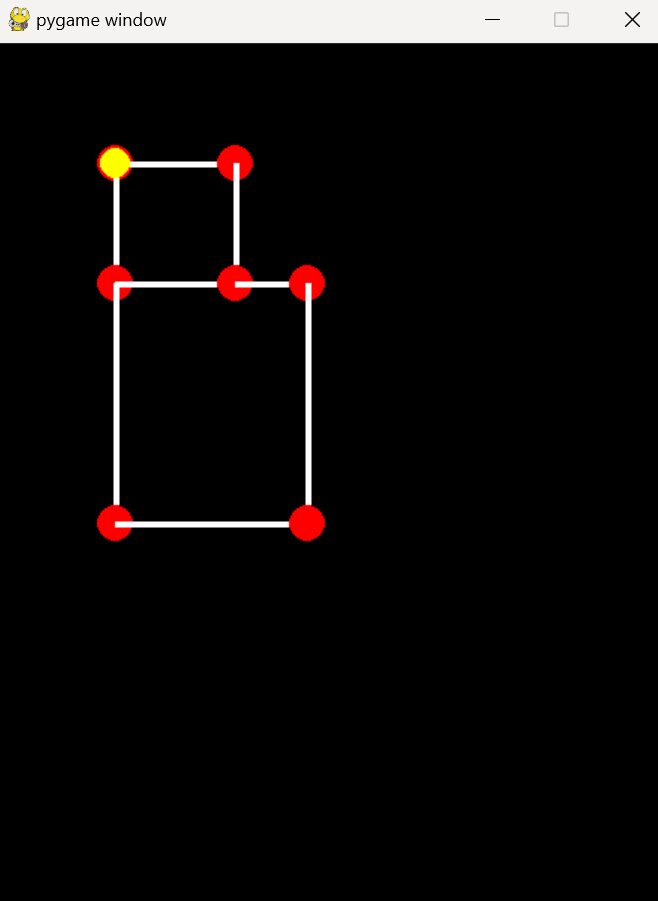
Now when you run the game you can see that Pacman's movement is more correct. He should pass though nodes instead of stopping on each and every node. Instead of using this example maze we want to use an actual Pacman maze. That would be pretty cool, so let's go and start that process in the next section.

Blank Screen


Download

You can download the files up to this point by clicking on the following folder.

Blank Screen